If HMRC has told you it is time to start using Making Tax Digital, and you already use QuickBooks, you have probably clicked around looking for the part that talks to HMRC.
It lives in an app called Income Tax. Most people walk straight past it.
This guide shows you how to switch it on, how quarterly updates work, and the few things that catch people out. We have written it for two kinds of reader. One is the sole trader or landlord who wants to handle this themselves. The other is the person training to be a bookkeeper, who will soon be doing it for clients. Plenty of people are both.
The next deadline is 7 February 2027, so there is time. Not loads, but enough.

Who has to use MTD for Income Tax?
HMRC is bringing people in over three years. The test is your qualifying income, and that phrase causes more confusion than anything else in MTD.
Qualifying income is the money coming in from self-employment and property before you take off any costs. It is turnover, not profit. A plumber who invoices £34,000 and spends £20,000 on materials and van costs still has qualifying income of £34,000.
Income from different sources is added together. Someone with £22,000 from a cleaning business and £10,000 in rent has £32,000, which brings them in from April 2027. Neither income would do that alone. Wages from a job, pensions and dividends are not counted.
| Qualifying income | Based on your return for | You must start |
| Over £50,000 | 2024/25 | 6 April 2026 |
| Over £30,000 | 2025/26 | 6 April 2027 |
| Over £20,000 | 2026/27 | 6 April 2028 |
Limited companies are outside MTD for Income Tax altogether. Partnerships have been put back with no new date. Some people can apply for an exemption if age, disability or where they live makes software impractical.
If you are unsure, HMRC’s checker takes a couple of minutes: Find out if and when you need to use Making Tax Digital for Income Tax.
Does QuickBooks work for MTD for Income Tax?
Yes. QuickBooks Online is recognised by HMRC. Intuit supports MTD for Income Tax on Simple Start, Essentials, Plus and Advanced, and on QuickBooks Sole Trader Plus.
There are two limits worth knowing before you rely on it.
First, each QuickBooks account links to one income source: self-employment or UK property. If you run a business and also let out a flat, you need two setups. It is a bit of a nuisance, although it does keep the two sets of records properly apart.
Second, QuickBooks does not handle foreign property. Intuit sends landlords with overseas lets to a partner app instead.
If you are still on the old QuickBooks Self-Employed product, you will have to move. Intuit explains how on its MTD for Income Tax Resource Hub.
What you need before you start
The setup is quick. What slows people down is stopping halfway to hunt for a password. Have these ready:
- your Government Gateway user ID and password
- your National Insurance number
- your Unique Taxpayer Reference (UTR)
- whether you use cash basis or accruals
One thing catches people out more than anything else. Signing up for MTD with HMRC is a separate step from having a Government Gateway account. Until HMRC has you registered for MTD, QuickBooks cannot connect
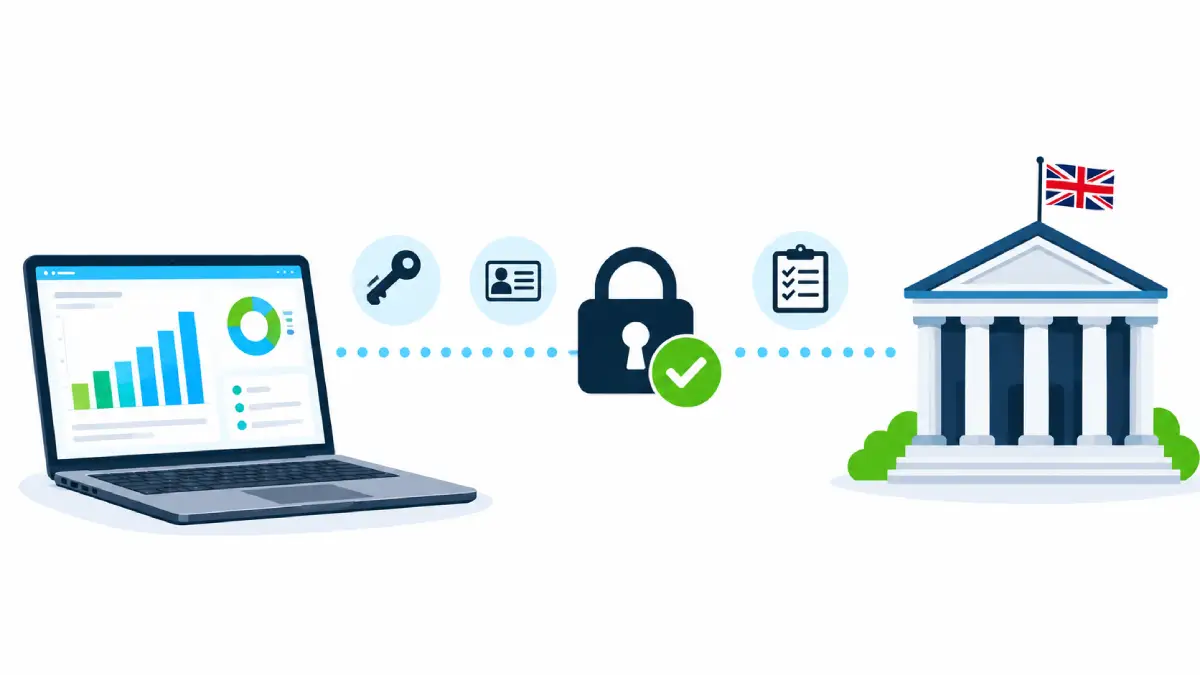
How to connect QuickBooks to HMRC
- Check your business type. Go to Settings, then Account and settings, then the Company tab. Under Legal info, set Business type to Sole Trader or Landlord and save it. If it says anything else, the Income Tax app will not appear, and you can lose a good half hour wondering why.
- Open the Income Tax app. Go to All apps, choose Income Tax, then Join MTD for Income Tax.
- Give QuickBooks permission. Select Continue to HMRC, sign in with your Government Gateway details and choose Grant Authority. When you land back in QuickBooks, enter your National Insurance number.
- Pick your income source. Choose self-employment or UK property.
- Confirm your accounting period and method. Your method must match what you have used with HMRC before. If you have always used cash basis, do not switch to accruals here by accident.
- Check the obligations table. Under Income Tax, open Overview. You should see your four quarterly deadlines and your year-end deadline, each marked Open, Overdue or Submitted.
An empty table straight after setup is normal. HMRC and QuickBooks can take up to 24 hours to sync.
Sending a quarterly update
A quarterly update is a running total of your income and expenses, sorted into HMRC’s categories. It is not a tax return, and you do not pay anything when you send it.
| Update | Covers (standard quarters) | Due by |
| 1 | 6 April to 5 July 2026 | 7 August 2026 |
| 2 | 6 April to 5 October 2026 | 7 November 2026 |
| 3 | 6 April 2026 to 5 January 2027 | 7 February 2027 |
| 4 | 6 April 2026 to 5 April 2027 | 7 May 2027 |
If you chose calendar quarters, your periods end on the last day of June, September, December and March. The deadlines stay the same.
Pressing submit takes seconds. The real work happens in the week before.
The problems we see most often are not technical. Usually it is a few dozen bank transactions nobody has categorised, or a personal Amazon order sitting in office costs. QuickBooks will happily send HMRC whatever is in the books, mistakes and all. So match or add every bank transaction, check the categories, reconcile the accounts, and only then open the app.
When you are happy, go to Income Tax, find the open period in the obligations table, check the totals and submit.
After each update, QuickBooks shows an estimate of your tax bill. For many people this ends up being the most useful part of MTD. Finding out what you owe in October beats finding out on 30 January.
The part most guides skip: updates are cumulative
With VAT, each return stands on its own. MTD for Income Tax works differently.
Every update covers the tax year so far. Your February update is not “October to January”. It is everything from 6 April onwards.
This makes mistakes much less stressful. Say you put a £400 sale in the wrong category back in May and spot it in December. You fix the transaction in QuickBooks, and the corrected total goes to HMRC in your next update. You do not have to resend anything.
If you also deal with VAT, our guide to filing VAT returns in Xero under Making Tax Digital shows how the two systems differ.
What happens at the end of the year
After the fourth update there is one more job: the tax return. HMRC sometimes calls this the final declaration, and QuickBooks uses that name too.
This is where you make year-end adjustments, claim capital allowances, add any other income such as wages or interest, and confirm the figures are right.
If you joined in April 2026, your first MTD return covers 2026/27 and is due by 31 January 2028. Your 2025/26 return, due on 31 January 2027, still goes in the old way. That overlap confuses a lot of people, so it is worth putting both dates in your diary now.
What if you miss a deadline?
MTD uses penalty points instead of instant fines.
If you joined in April 2026, HMRC will not give you points for late quarterly updates during 2026/27. People joining from April 2027 get the same allowance for their first year.
After that, each missed deadline earns one point. Four points means a £200 penalty, and every late update after that costs another £200. Points drop off after 24 months as long as you have not hit the limit.
Paying your tax late is a separate matter, with its own penalties and interest. HMRC explains both in its guide to using MTD for Income Tax for the first time.
The soft landing is generous, but we would not lean on it. Getting into the habit now is far easier than fixing it later.
When QuickBooks will not cooperate
| What you see | What usually causes it | The fix |
| No Income Tax app | Business type not set to Sole Trader or Landlord | Change it under Account and settings |
| Empty obligations table | HMRC has not synced yet | Wait 24 hours |
| 403 error when submitting | HMRC connection has expired | Reconnect. It needs renewing every 18 months |
| HMRC rejects the setup | Accounting method does not match HMRC’s records | Use the same method as before |
The 18-month reconnection is the one that tends to surprise people, because by then everyone has forgotten setting it up. QuickBooks sends a reminder, but put one in your own calendar as well.
Letting a bookkeeper handle it
Plenty of sole traders would rather not do any of this, which is fair enough.
An accountant or bookkeeper can send updates for you through their HMRC Agent Services Account. Once they add you as a client, you may get an email asking you to confirm. After that, they can take care of it.
If you are training to become a bookkeeper, this is the bit to pay attention to. HMRC expects around 1,077,000 more sole traders and landlords to join in April 2027. Many of them have never used accounting software. They will all need four accurate updates a year instead of one return, and someone has to help them get there.
The ICAEW and ACCA both publish regular MTD guidance for their members, and it is worth following.
The QuickBooks skills that actually matter
Anyone can find the submit button. Clients and employers pay for the person who knows the numbers behind it are right.
Day to day, that means setting up bank feeds and bank rules, categorising transactions properly, reconciling every account and keeping personal spending out of the books. At year-end, it means reading a profit and loss report, making the right adjustments and knowing when cash basis or accruals applies.
None of that is complicated once you have done it on real examples a few times. It is hard to pick up from help articles alone, though.
That is why we built our QuickBooks Level 2 and QuickBooks Level 3 courses around UK scenarios like the ones in this guide. If you also run payroll, our QuickBooks Payroll courses cover that side.
Quick answers
Do I need to be VAT registered to use QuickBooks for MTD for Income Tax?
No. The two are completely separate.
Can I correct an update I have already sent?
Fix the transaction in QuickBooks. The correction goes through with your next update.
I have a business and a rental property. Is that one QuickBooks account or two?
Two. Each account links to one income source.
Does QuickBooks remind me about deadlines?
The obligations table shows every deadline and its status. Set your own reminders for the 7th of February, May, August and November too. It costs nothing.
Is QuickBooks worth learning if I want a bookkeeping job?
Yes. It is one of the most widely used packages in UK practice. With MTD bringing in a new group of sole traders and landlords every April until 2028, firms need people who can use it properly.
Ready to learn it properly?
MTD for Income Tax is not going away. It grows in April 2027 and again in April 2028. The people who understand both the rules and the software will be the ones clients call.
Our QuickBooks Level 2 and Level 3 courses take you from everyday bookkeeping to year-end-ready records, at your own pace, using UK examples. You finish with a TaxCare Academy certificate showing you can do the work.
TaxCare Academy is run by Tax Care Certified Accountants Limited, an IFA-regulated practice operating since 2018. We were named Best Online Accounting & Bookkeeping Training Provider 2026 at the SME Finance Awards.
Enrol in QuickBooks Level 2 & Enrol in QuickBooks Level 3
New to QuickBooks? Start with Level 1, or take the full Level 1 to 3 pathway. See all courses.